A Website Checklist for Custom Home Builders
A practical website checklist for custom home builders: project evidence, service areas, useful inquiries and ownership before choosing a new platform.
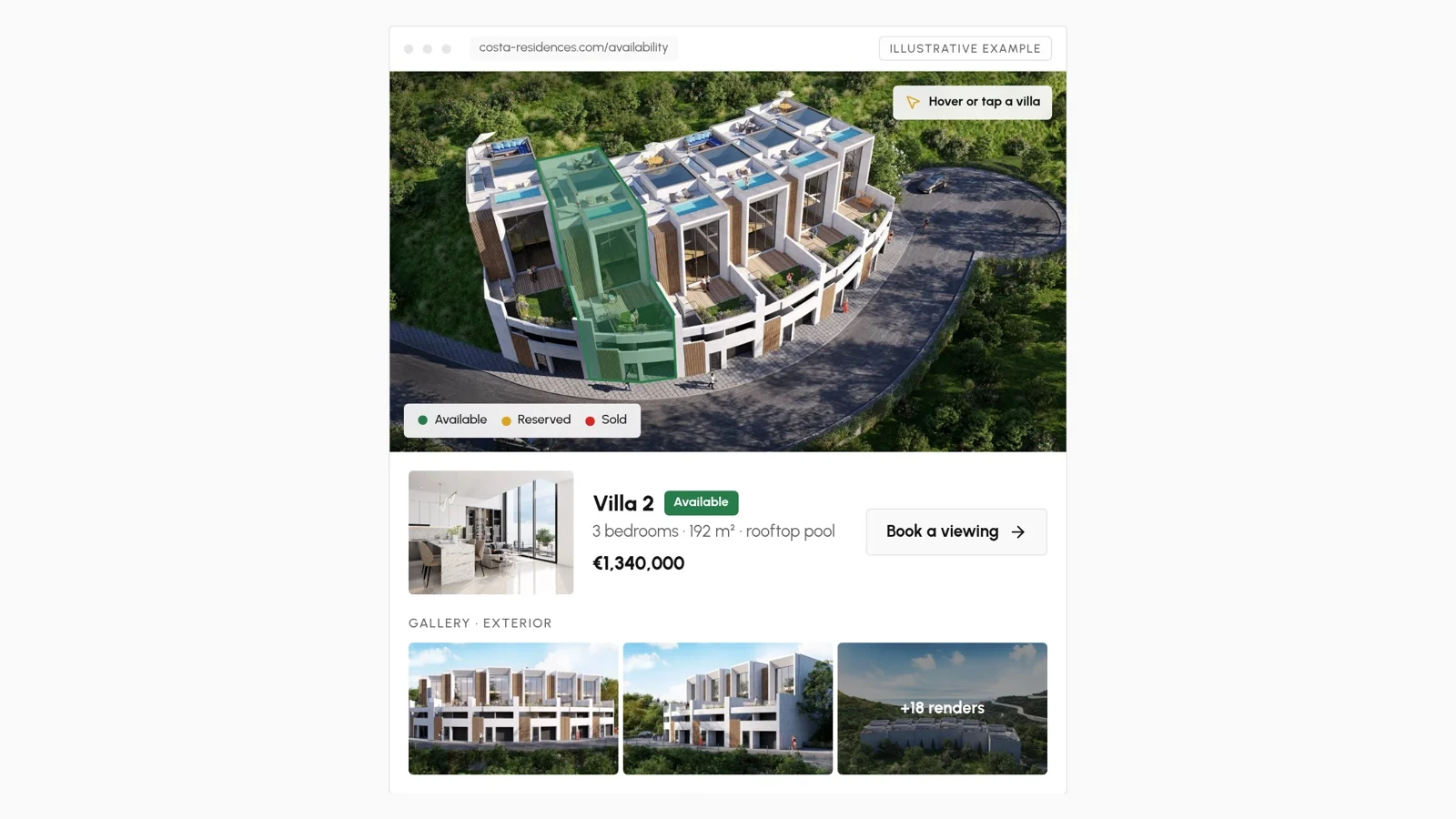
A custom home builder's website should help a prospective client answer three questions: Do you build the kind of home I have in mind? Do you work in my area? What should I send you to start a useful conversation?
A redesign that changes the appearance without answering those questions may leave the real problem untouched. Before commissioning a new website, review the evidence, information and handover requirements that matter to your business.
1. Distinguish the services you actually offer
Custom homes, design-build work, renovations and homes built for sale are different offers. A client with a purchased lot needs different information from a buyer comparing available homes in a development.
Describe your role accurately. Explain whether you work with a client's architect, provide design coordination or sell completed homes. Only include services your team delivers. Avoid making every visitor choose between labels they may not understand.
2. Turn projects into evidence
A gallery demonstrates appearance. A project page can also explain what you built, your responsibility and the constraints you addressed. Useful details include the general location, project type, scope and completion status, where you have permission to share them.
Label architectural renderings as renderings. Do not imply that an unbuilt proposal is a completed home, or use an illustrative platform example as evidence of a delivered client project.
For each selected project, consider:
- A representative photograph or clearly identified rendering.
- A concise description of your involvement.
- Relevant design or construction decisions.
- A consistent set of images rather than a long, repetitive gallery.
- A next step appropriate to the service shown.
Remove personal addresses, client details and information you are not authorised to publish.
3. Make your service area clear
Name the areas you genuinely serve and describe any practical limits. A builder working in one metropolitan area does not need dozens of near-identical location pages claiming a presence everywhere.
A service-area page can explain local project types and link to relevant work. It should help a real client decide whether to contact you, not exist solely to repeat search phrases.
4. Ask for enough information, not everything
For a first inquiry, useful fields might include project location, project type, whether the client owns a lot and the stage of their plans. Budget and timing can help when explained clearly and made appropriate to the conversation.
Do not demand technical drawings before a visitor can make contact. If files are accepted, specify formats and reasonable size limits. Keep the form workable on a phone and provide an alternative written contact route.
Decide who receives the submission, who responds and where the inquiry is recorded. A short form with a dependable response process is better than an elaborate form that nobody monitors.
5. Treat available homes differently from bespoke work
If you build homes for sale, visitors need current availability, plans, specifications and clear information about the next step. A custom-home portfolio has a different job: demonstrating suitability for a future commission.
You may need both within one website, but do not combine them into an ambiguous gallery. A shared property record can help maintain availability, while project stories remain separate editorial evidence.
6. Review the phone experience and basic search access
Check a real project page, not only the homepage. Can someone inspect the images, understand the scope and submit an inquiry on a small screen? Do large photographs delay access to important information? Are text and controls readable without zooming?
Every important page should have a descriptive title, a useful summary and an address that can be shared. Important content should be available to search engines, but no technical checklist can guarantee rankings or qualified traffic.
7. Set ownership and maintenance terms before launch
Confirm who owns the domain, content and submitted data. Agree on editing access, data export, maintenance, backup responsibilities and support after handover. If a new platform replaces an existing site, inventory the old addresses and preserve relevant links with redirects.
Ask which changes your team can make without outside help. A website that needs a developer for every project update can become expensive to keep accurate.
Choose the smallest platform that supports the work
A builder with a focused portfolio may need a well-maintained website and structured inquiries. A company selling several developments may benefit from a connected Business Hub for properties, documents and sales responsibilities. More software is not automatically a better investment.
Measure the result through relevant inquiries, useful conversations and signed work—not page views alone. Your website supports that process; it does not replace reputation, project delivery or a reliable sales response.
Explore the platform options, or Get a Quote with your current website, selected projects and the operational problem you want to solve.