Real Estate Websites: Why a Business Hub Matters
Connect your real estate website with inquiries, unit availability and documents. A practical guide to choosing a Business Hub without unnecessary software.
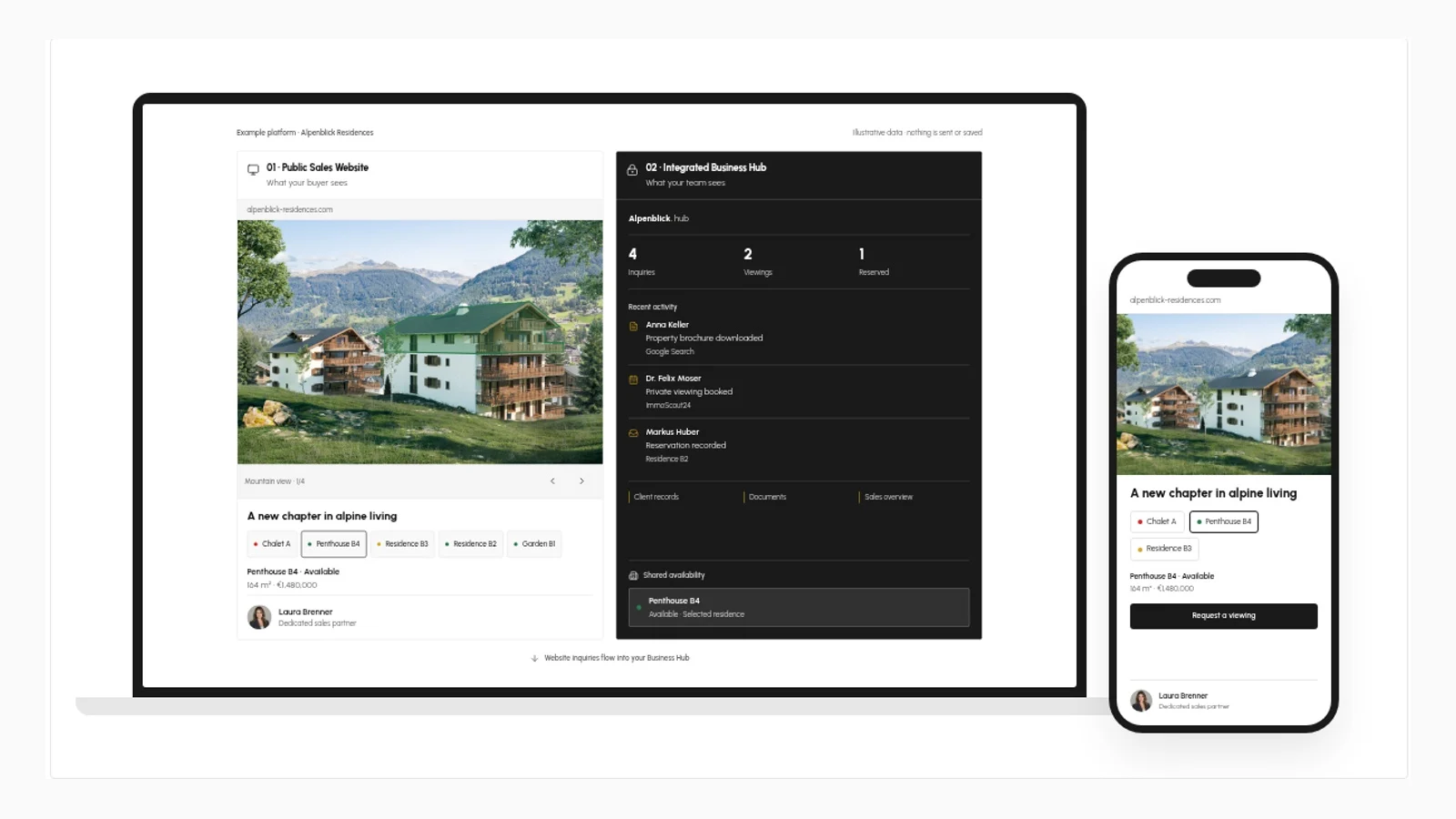
A real estate website has two audiences. Buyers need a clear view of the property. Your team needs a reliable way to act on the interest it creates. A polished public page serves the first audience; a connected Business Hub can serve the second.
The value is not another dashboard. It is continuity: the property someone viewed, the inquiry they submitted, the information your team sent and the next action belong to the same workflow.
What is a Business Hub?
A Business Hub is a private workspace connected to your public website. Depending on the agreed scope, it can hold property records, inquiries, viewing requests, documents and team responsibilities. Buyers see the website; authorised staff work behind it.
It is not automatically a replacement for a CRM, accounting package or booking system. Where an existing tool works well, an integration may be more sensible than rebuilding it. The first question is which information currently gets copied between systems, and why.
Start with one buyer journey
Consider a small residential development. A buyer opens the project website, compares two homes and requests details about one. An inquiry that includes the selected home gives the sales partner more context than a generic message from a contact page.
The useful workflow is straightforward:
- A property record supplies the website with approved details and availability.
- An inquiry retains the selected property and the buyer's submitted information.
- A team member takes responsibility for the response.
- The relevant floor plan and current brochure are easy to find.
- The next action is recorded without treating an inquiry as a reservation or sale.
Each step needs a clear owner. Software cannot make an unanswered inquiry useful by itself.
Keep availability consistent
When a home changes from available to reserved, someone should know which record to update and which public pages use it. Separate spreadsheets, brochure files and website edits introduce opportunities for contradictory information.
A shared property record can reduce that duplication. It does not guarantee accuracy: staff still need update permissions, agreed status definitions and a review process. A reservation should mean the same thing to the developer, broker and website visitor.
Choose modules by responsibility, not by quantity
For a project-sales platform, the first useful modules are often properties, inquiries and documents. A developer managing several launches may also need project-level views. A rental business has a different requirement: booking calendars and booking rules need their own specification.
Before adding any module, ask:
- Who maintains this information?
- Which decision or action does it support?
- Does it already live in another system?
- What happens if it is out of date?
If there is no clear answer, leave the module out. A smaller workspace that the team maintains is more valuable than an extensive one that nobody trusts.
Access, ownership and handover
Public property information and private buyer information should not share the same access rules. Define who can read, edit, export and delete each type of record. Collect only the personal information needed for the inquiry and establish retention requirements with appropriate advice.
Your brief should also cover domain ownership, data export, backups, maintenance responsibilities and the process for changing suppliers. These questions matter before launch, not only when a contract ends.
How to evaluate whether it helps
Use your current process as the baseline. Look at response times, inquiries with useful property context, missed follow-ups and the work involved in changing availability. Separate qualified inquiries from total visits, and do not mistake a recorded viewing request for a completed viewing.
A connected platform may make those activities easier to manage. It does not create buyer demand on its own or guarantee a sale.
A sensible starting brief
List your properties, who sells them, how inquiries arrive and where documents are stored. Then describe one complete journey from website visit to staff response. That is a stronger starting point than a long feature list.
Explore Deerva Platforms to see how a public website and private Business Hub can work together. For an initial scope, Get a Quote with your project, current tools and the workflow you want to improve.